Update Haryana Family ID – Add Members, Fix Details & Correct Your Record
Life keeps changing: a new baby arrives, someone gets married, an address changes, or a mobile number switches. Every time this happens, you need a family ID update so your record stays correct and your benefits don’t stop.
This page explains the full family ID update process in plain words. You will learn how to do your PPP login, which changes need which documents, and what to do if something goes wrong along the way.
How to Start Your PPP Haryana Update
Before you touch any details, you need to log in first. Here’s how you begin your PPP Haryana update:
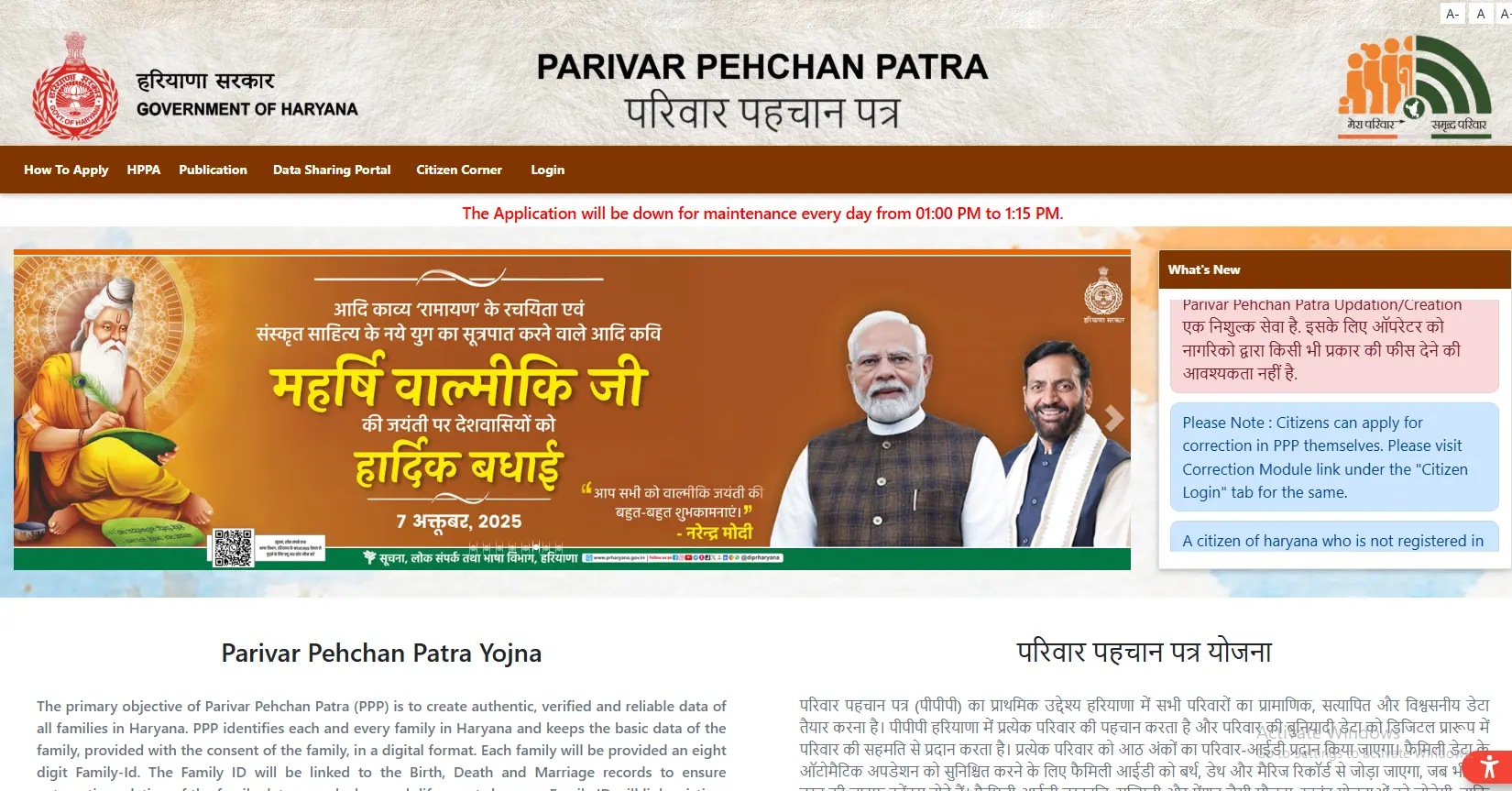
- Open the official PPP Haryana website.
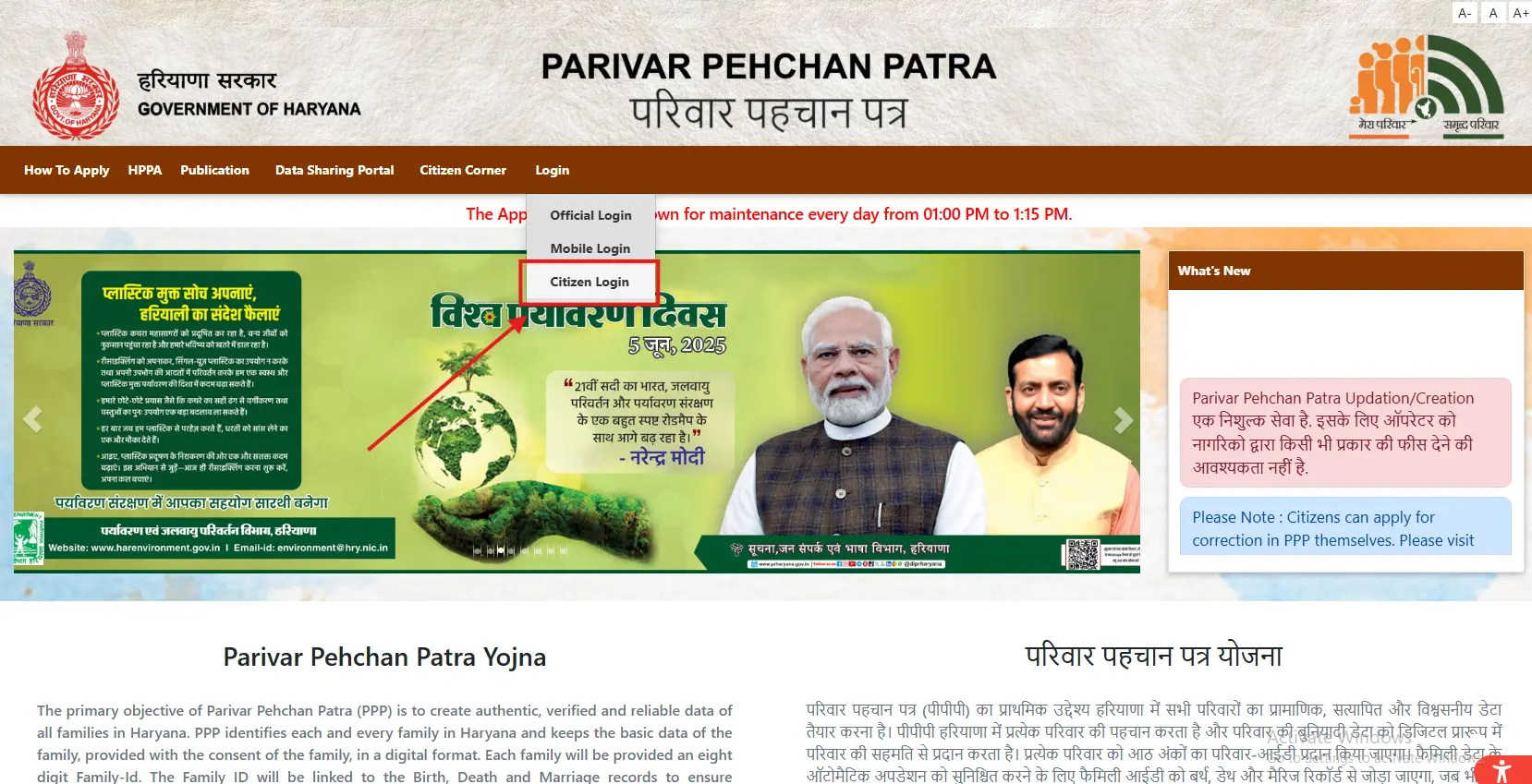
- Click on “Citizen Login.”
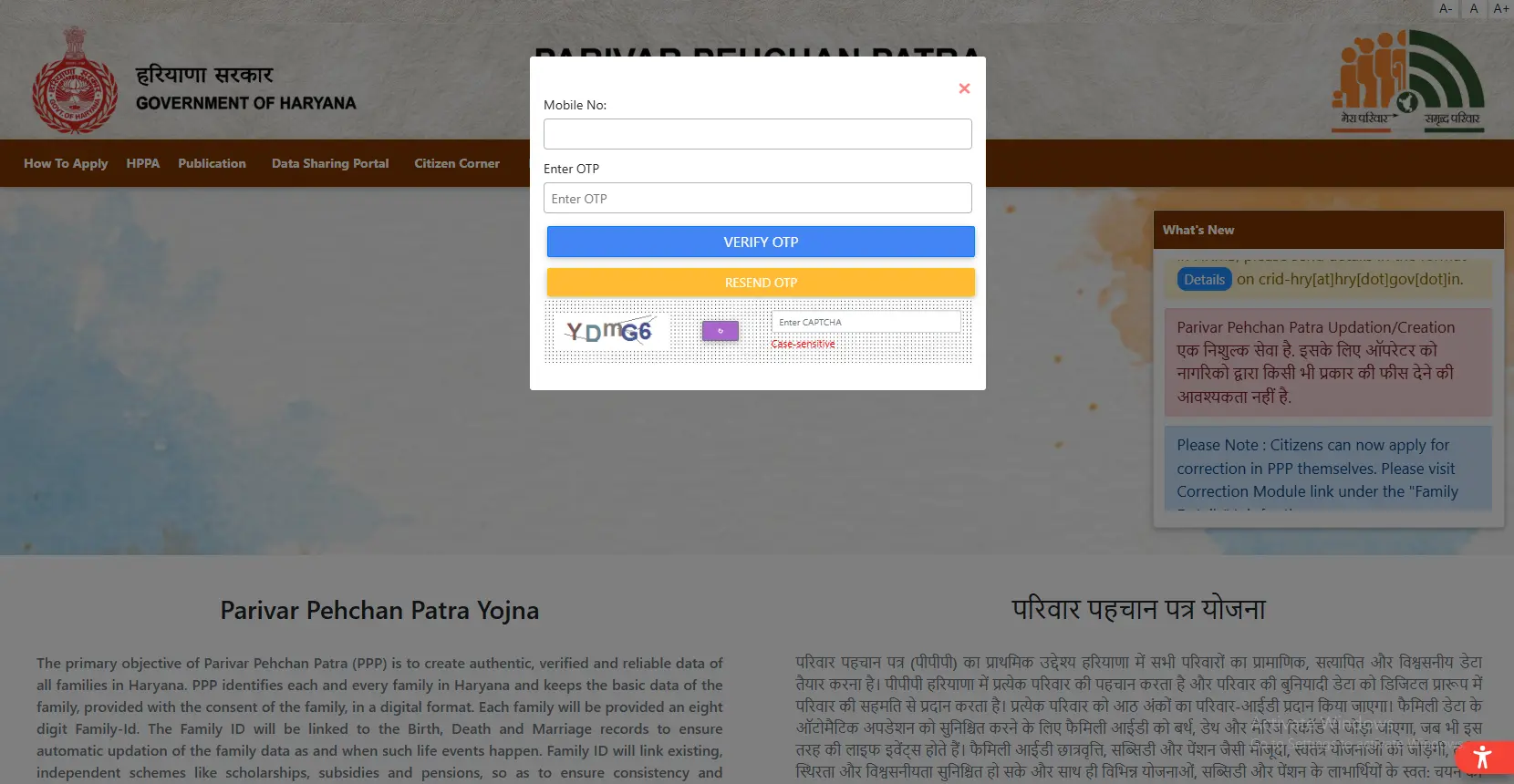
- Enter your Family ID number.
- Wait for the OTP on your registered mobile number.
- Enter the OTP to complete your PPP login.
- Go to “Update Family Details” or “Correction Module” under the Family Details tab.
Once you’re logged in, you’re ready to make any changes your family needs.
Types of Family ID Update You Can Make
Every PPP Haryana update covers many kinds of changes. Here are the most common ones:
- ✓Add a new member: This is when a baby is born or someone marries into the family. Upload Aadhaar details with birth certificate or marriage certificate.
- ✓Remove a family member: Use this when a family member dies or moves out of your home permanently. Upload death certificate or proof of separation.
- ✓Correct an entry for name, date of birth, education or occupation.
- ✓Update address: If your family has moved to another home or district, change your address.
- ✓Update mobile number: If you have changed your mobile number, change your registered mobile number.
Step-by-Step: Family ID Update Haryana Process
Here’s what you need to do to smoothly complete your family ID update Haryana request. All family ID update Haryana requests are verified by an officer before approval, so make sure your data is correct.
- Log in using your PPP login credentials.
- Choose the type of change you want to make from the dashboard.
- Select which family member the change is for.
- Upload the required document or fill in the correct details.
- Your file should be in PDF format and less than 200 KB.
- Submit the request and confirm with OTP.
- Please note your reference number for future tracking of the request.
Most update requests take 7 to 30 days to get approved, depending on how much checking the officer needs to do.
Documents You May Need
Different changes need different proofs. Prepare these before you start your family ID renewal:
- Birth Certificate (adding a new family member)
- Death Certificate (to remove a member)
- Marriage certificate (for adding a wife)
- Aadhaar card (for most of the corrections in personal details)
- Proof of address (for address changes)
Some Updates Happen Automatically
You don’t always have to file a manual family ID update. Certain records link directly to government databases:
- Birth records: A registered birth in Haryana can add automatically to your family record.
- Death records: A registered death can update your family record without extra paperwork.
Even so, it’s good practice to check your record after such events, just to confirm the automatic update went through correctly.
Family ID Haryana Download After Update
Once your update gets approved, don’t forget your family ID Haryana download. Here’s why this step matters:
- Log in to the Citizen Corner again.
- Click “Print Form” or “Download Family ID.”
- Save the new PDF with your new information.
- Print out for office use as required.
If you are applying for pension, scholarship and ration cards soon after an update, always carry the latest family ID Haryana download with you.
Common Problems and How to Fix Them
- Update request declined: Check the portal for the reason of rejection. It is usually an unclear file or document mismatch. Fix the problem and submit again.
- Can’t upload documents: Please upload a file in PDF format that is less than 200 KB. If it is too big, reduce its size or rescan it at a lower resolution.
- OTP not received: Check your mobile network coverage first. If the OTP still doesn’t arrive, visit your nearest Saral Kendra for help.
- Can’t find the update option: Confirm you’re logged in correctly and looking under the Family Details section. Clear your browser cache or try a different browser if it still doesn’t show.
Important Links
| Purpose | Link |
|---|---|
| Update Portal | ppp-office.haryana.gov.in |
| Check Update Status | meraparivar.haryana.gov.in |
| Saral Portal | saralharyana.gov.in |
Keeping your record accurate isn’t hard once you know the steps. Complete your PPP login, pick the right change, upload the correct document, and submit your family ID update. Once approved, always finish your family ID Haryana download so you always carry the correct, updated copy of your card.