Haryana Family ID – Login, Registration, Status, Update & Download
Every family in Haryana can now get one single family ID card from the state government. This card is called Parivar Pehchan Patra, or PPP Haryana for short. It holds your whole family’s details in one place, so you don’t need to run to government offices again and again for pensions, ration cards, or scholarships. This page explains everything about your family ID in plain, simple words. You will learn how to log in, register, check your status, update details, and complete your family ID download, all in easy steps.
Haryana Family ID Login
You need to log in first before you use any service on the portal. Follow these steps:
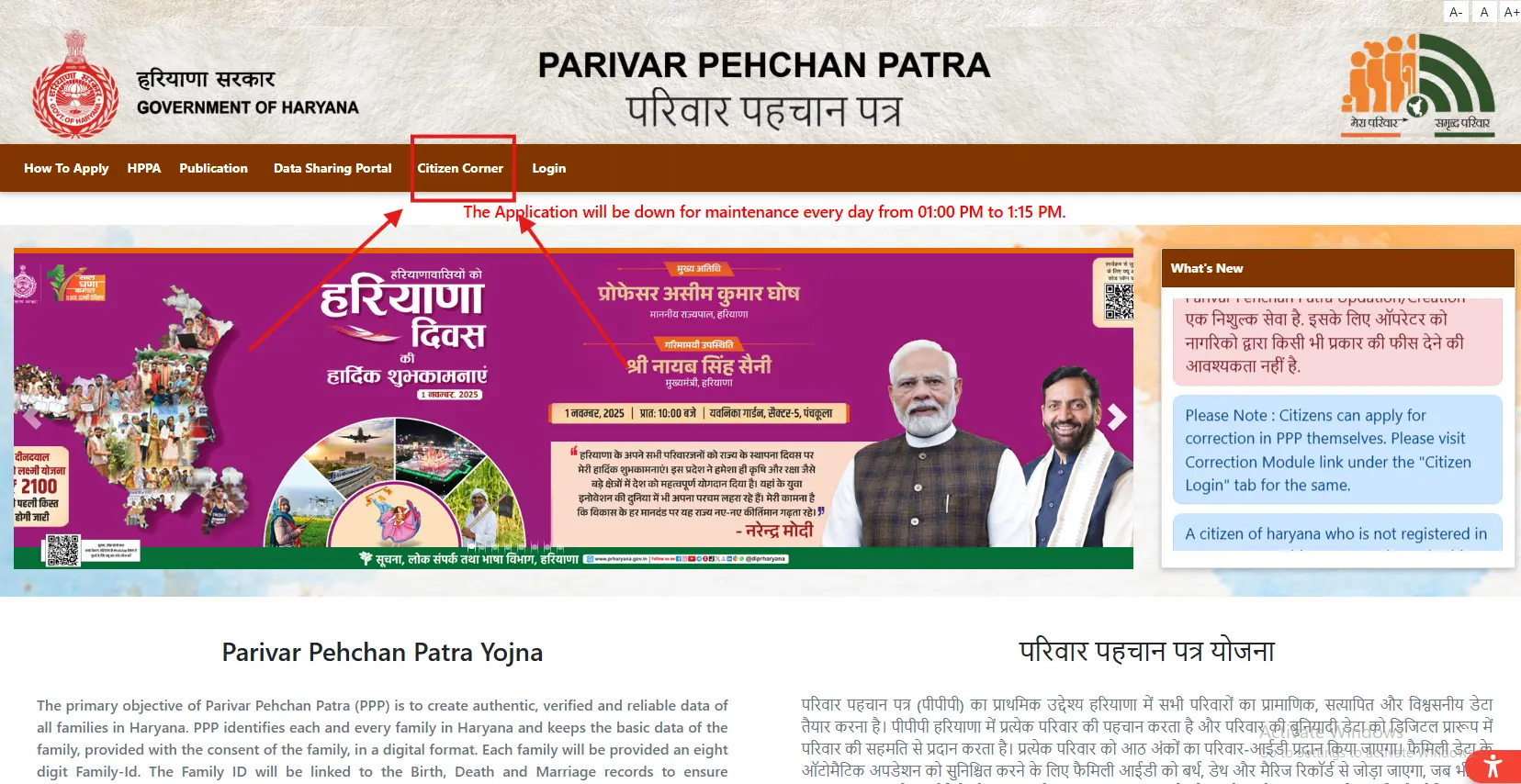
- Open the official PPP Haryana website: ppp-office.haryana.gov.in
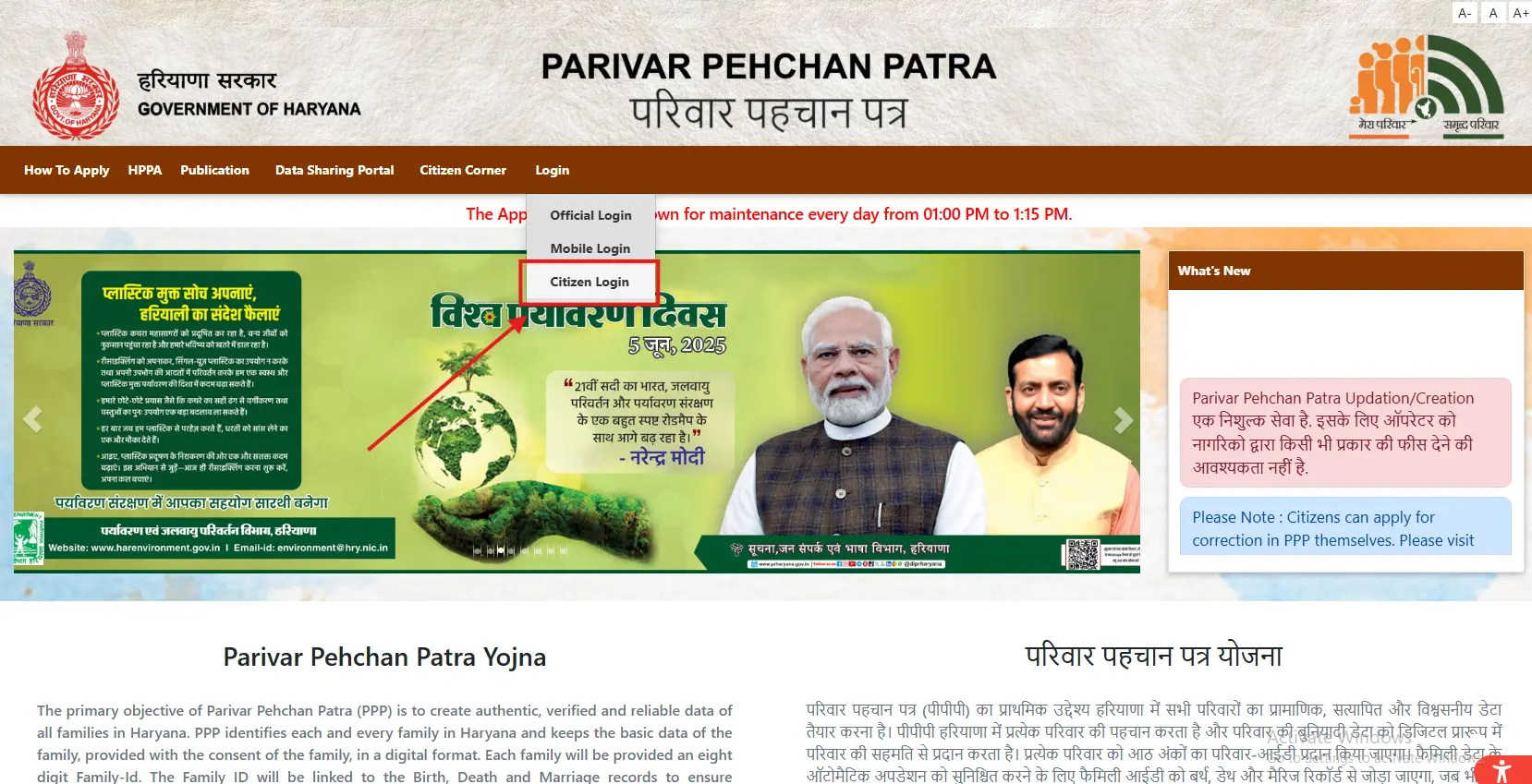
- Click on “Citizen Login” on the homepage.
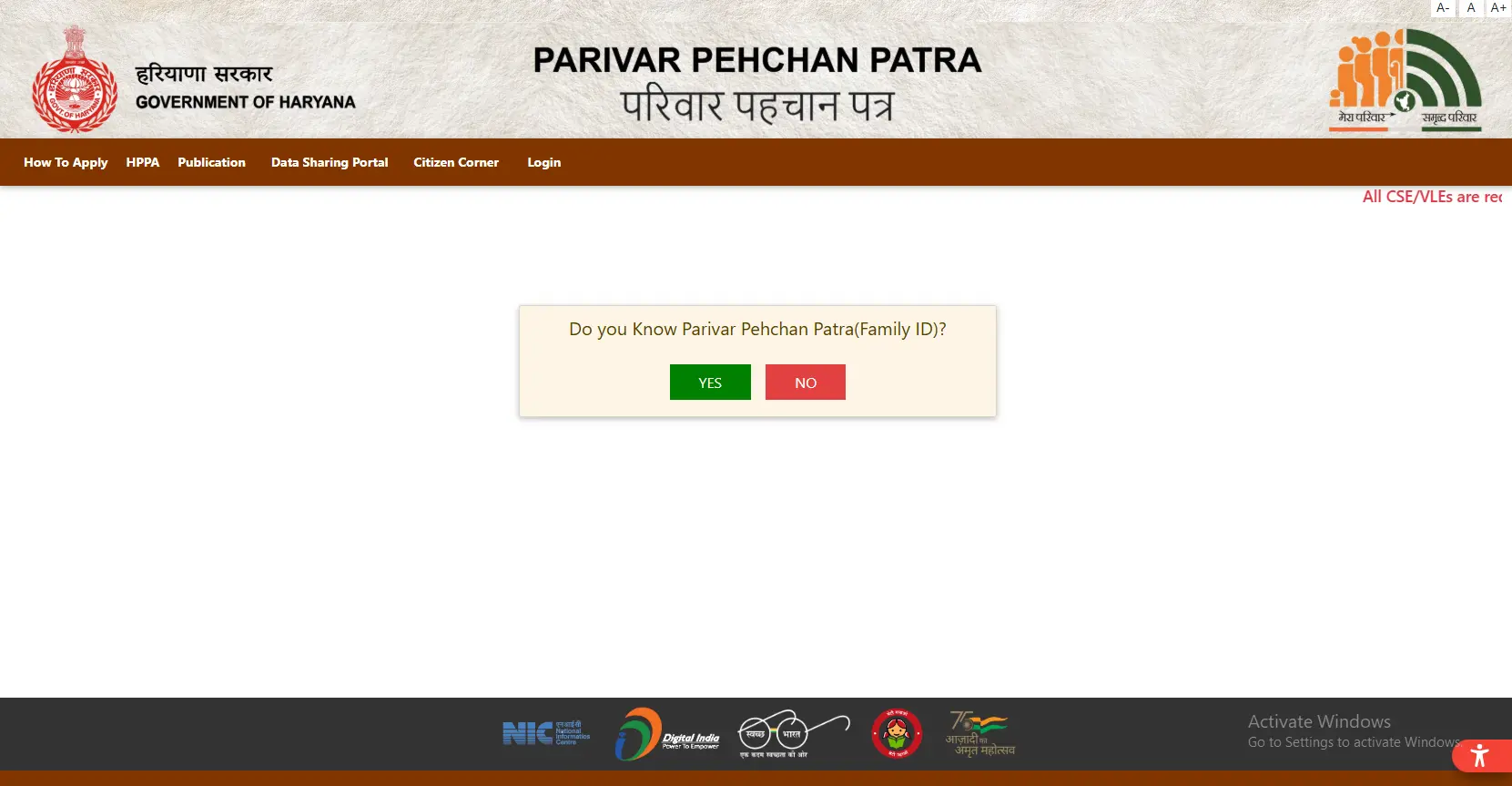
- Select “Yes” if you already hold a Family ID, or “No” to start fresh.
- Enter your Family ID number.
- Wait for the OTP on your registered mobile number.
- Enter the OTP and complete your PPP login.
Safety tips for PPP Login
- Use the official PPP Haryana website.
- Avoid public Wi-Fi or shared computers while doing your PPP login.
- Log out once your work is done.
- Keep your OTP private, even from family and friends.
How to Register for a New Haryana Family ID
If you don’t have a family ID yet, you can create one for free. Here’s how you do it:
- Visit the official PPP Haryana portal.
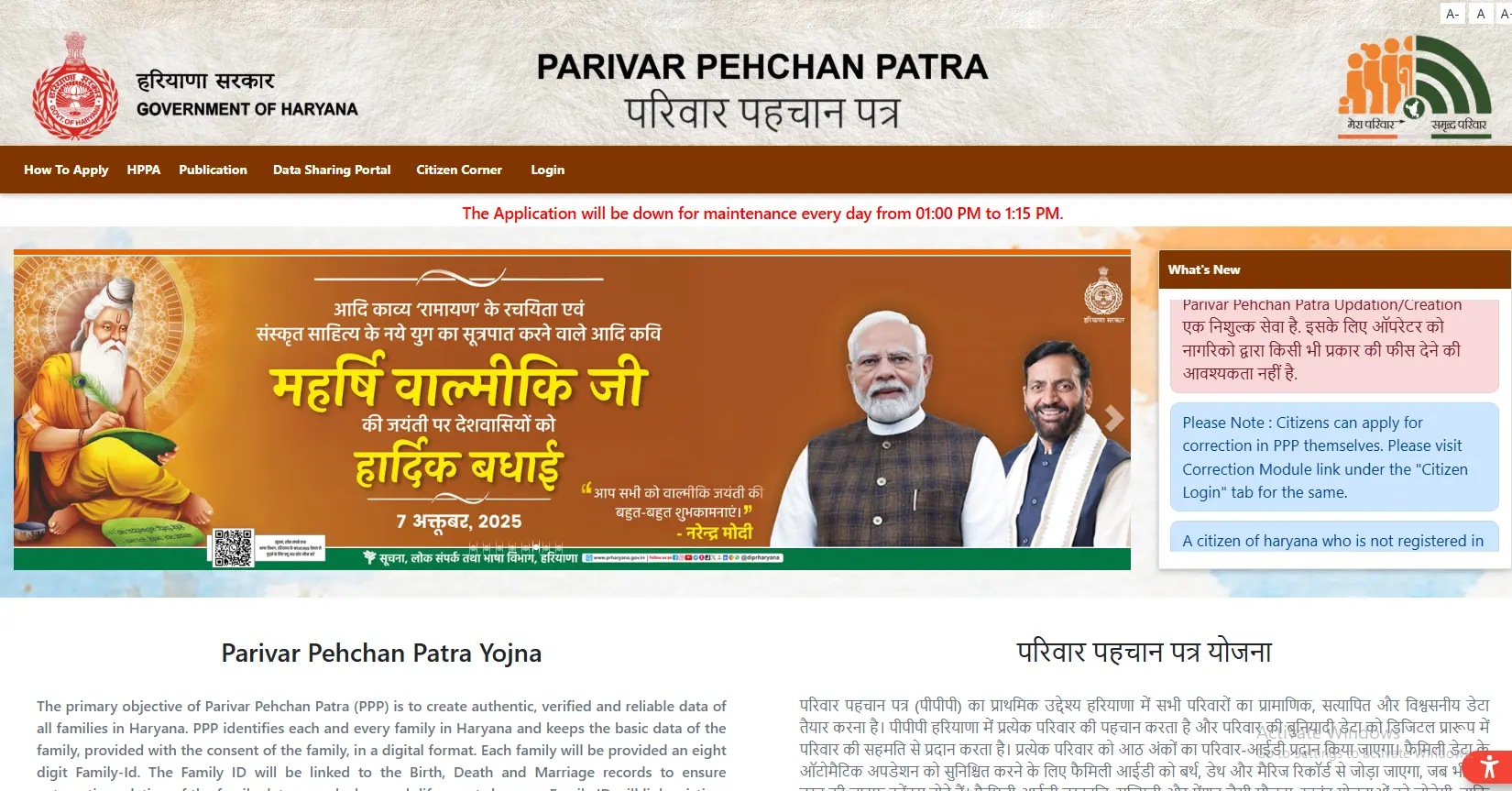
- Choose “Citizen Login” and select the option to create a new Parivar Pehchan Number.
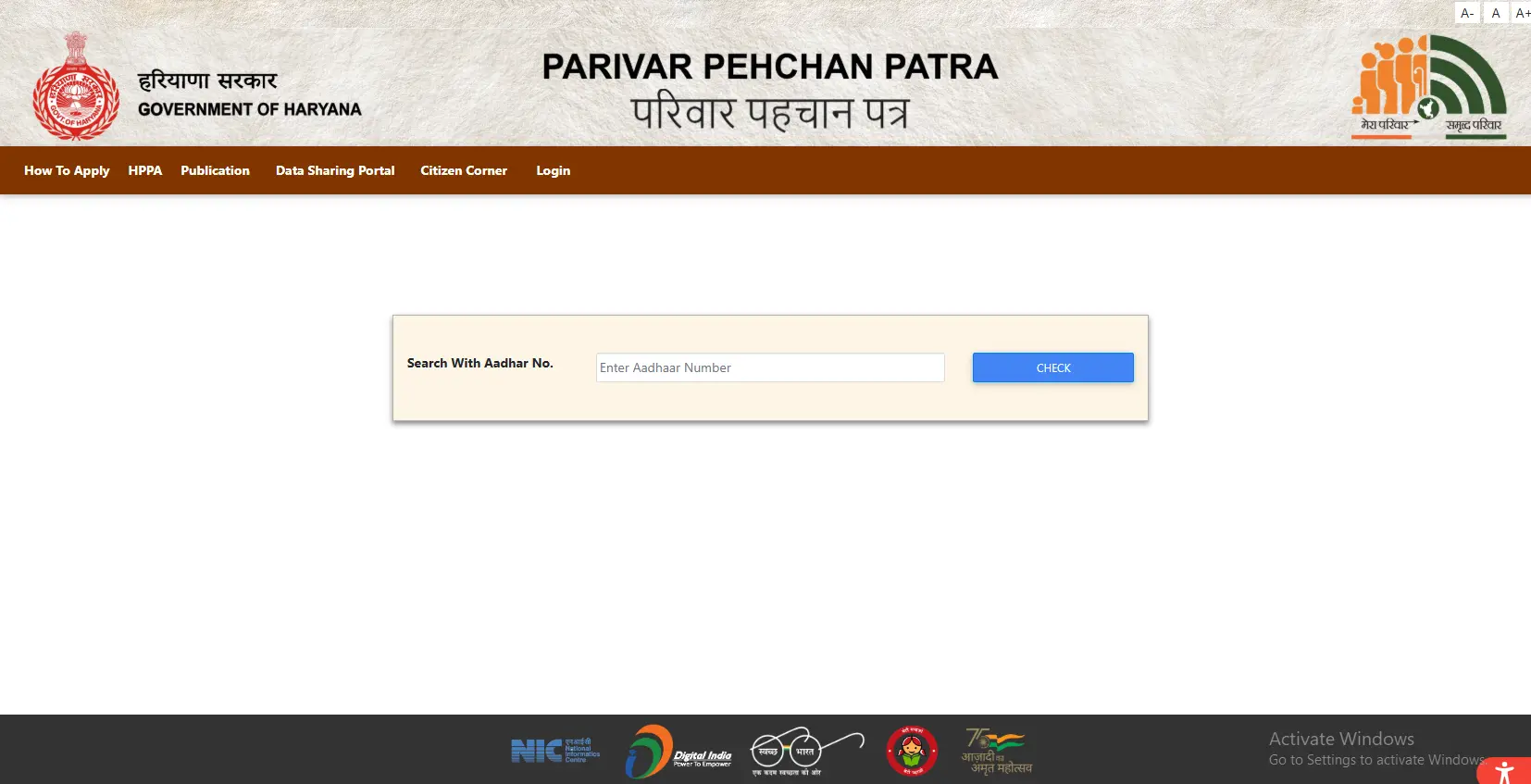
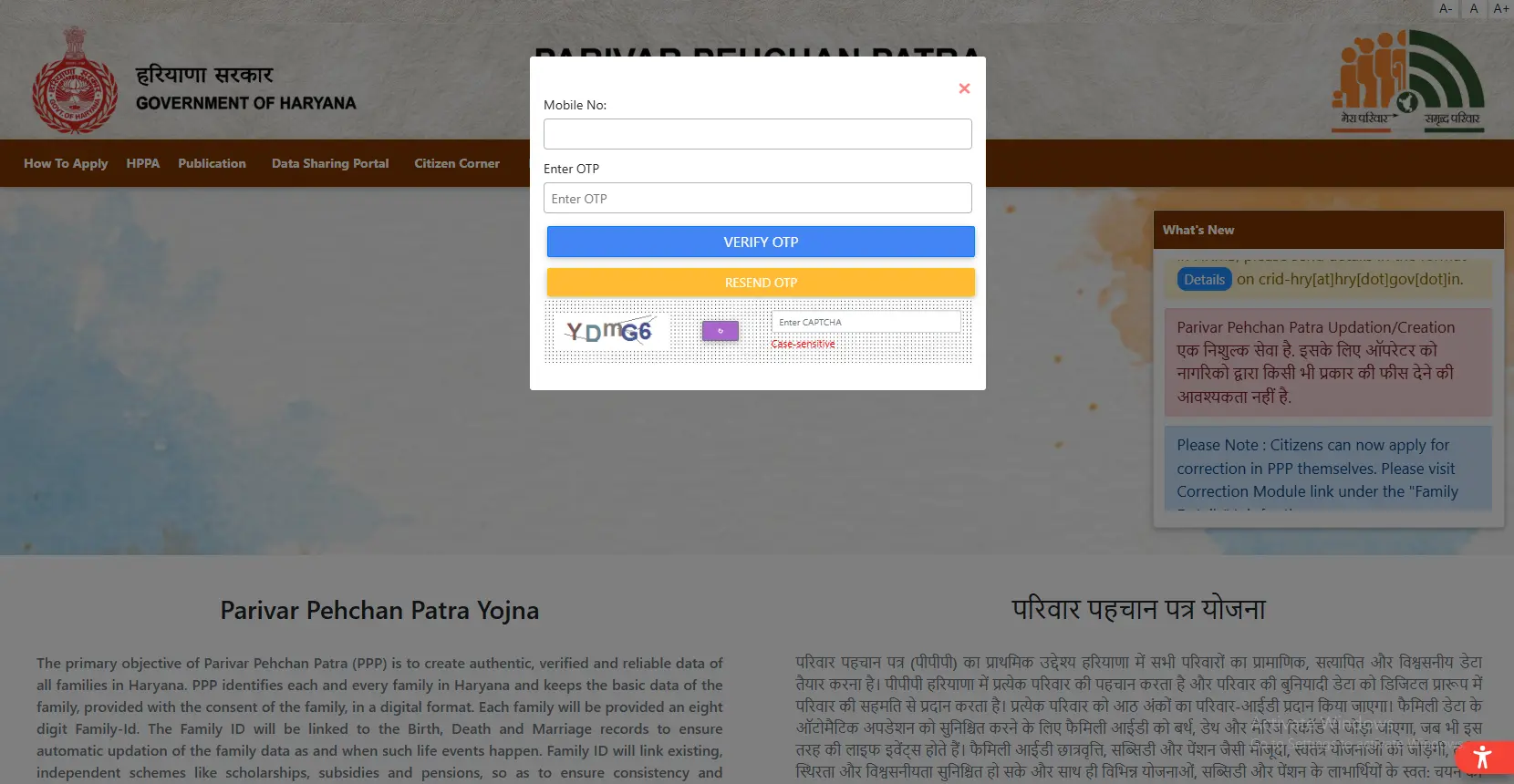
- Enter the Aadhaar number of the family head.
- Verify with the OTP sent to your linked mobile number.
- Fill in your personal details — name, date of birth, address, income, and more.
- Upload your documents (keep each file under 200 KB).
- Add details for every family member — parents, spouse, and children.
- Check all entries carefully, then submit the form.
- Save your temporary ID number safely — you will need it later.
Registration takes 10 to 30 days to get verified. Keep checking your status during this time.
How to Check Your Family ID Status
Once you apply, you can track your application easily:
- Go to the official status-check portal.
- Enter your Family ID, application number, or mobile number.
- View your current status — Processing, Approved, Pending, or Rejected.
If your status shows “Approved,” you can move ahead with your family ID download. If it shows “Rejected,” fix the mistake and apply again.
Family ID Download – Step by Step
Once your application gets approved, you can complete your family ID download in a few clicks:
- Log in to the Citizen Corner section on the official portal.
- Click on “Print Form” or “Download Family ID.”
- Save the PDF copy on your phone or computer.
- Print the form on plain paper.
- Sign the printed copy, scan it (under 200 KB), and upload it back if the portal asks for it.
Keep a digital copy safe on your email too, so you always have a backup ready for your family ID download.
How to Update Your Family ID Haryana
Life changes, and so do your family details. Here’s how you update your family ID Haryana record:
- Log in using your Family ID and OTP.
- Open the “Update Family Details” section.
- Choose what you want to change — add a new member, remove one, correct personal details, update your address, or change your mobile number.
- Upload the supporting documents.
- Submit the form and confirm with OTP.
- Save your reference number to track the update.
What Is a Family ID in Haryana?
The Haryana government started PPP Haryana in 2019 to give every household one digital identity. People also call it Family ID Haryana. You get an 8-digit permanent ID if you live in Haryana. You get a 9-digit temporary ID (starting with “T”) if you live outside the state but still want Haryana benefits.
Your family ID connects to your birth, death, marriage, and income records. Because of this link, many details update on their own, and you save time on paperwork.
Why Family ID Haryana Matters for Your Family
Your family ID Haryana card makes daily government work much easier. Here’s what it does for you:
- ✓Stores every family member’s details in one place
- ✓Removes the need to submit the same documents repeatedly
- ✓Speeds up pensions, scholarships, and ration card benefits
- ✓Lets you track your applications from one dashboard
- ✓Connects directly to your bank for subsidy payments
- ✓Reduces fraud by keeping verified records only
One family ID truly works for your whole family, across almost every government scheme in Haryana.
Safety Tips You Should Follow
- Use only the official PPP Haryana website for any task.
- Never share your OTP, Aadhaar number, or password with strangers.
- Change your password from time to time.
- Report any family changes as soon as they happen.
- Log out every time after finishing work on a shared device.
Important Links
| Purpose | Link |
|---|---|
| Official Website | meraparivar.haryana.gov.in |
| Citizen Corner (for download) | ppp-office.haryana.gov.in |
Your PPP Haryana family ID connects your whole household to government schemes through one simple card. Complete your PPP login, keep your details updated, and finish your family ID download whenever your card needs a fresh print. Follow the steps above, and you’ll manage everything from home, without visiting any office.