Check Haryana Family ID Status – Search by Mobile Number & Track Your Application
After you apply for your Family ID, you naturally want to know what’s happening with it. The easiest way to check is a family ID search by mobile number. You don’t need your ID number, an application slip, or any paperwork. Just your registered phone number does the job.
This page walks you through the full process in plain, simple words. You will learn how to track your application, what each status means, how the income verification step works, and when you can move on to your download step.
How to Do a Family ID Search by Mobile Number
You don’t have to remember your Family ID number to check your status. A family ID search by mobile number works just as well. Here’s how you do it:
Open the Official Website
Open the official Mera Parivar Meri Pehchan website on your phone or computer: meraparivar.haryana.gov.in
Find the Status Check Option
Look for the “Status Check” option on the homepage.
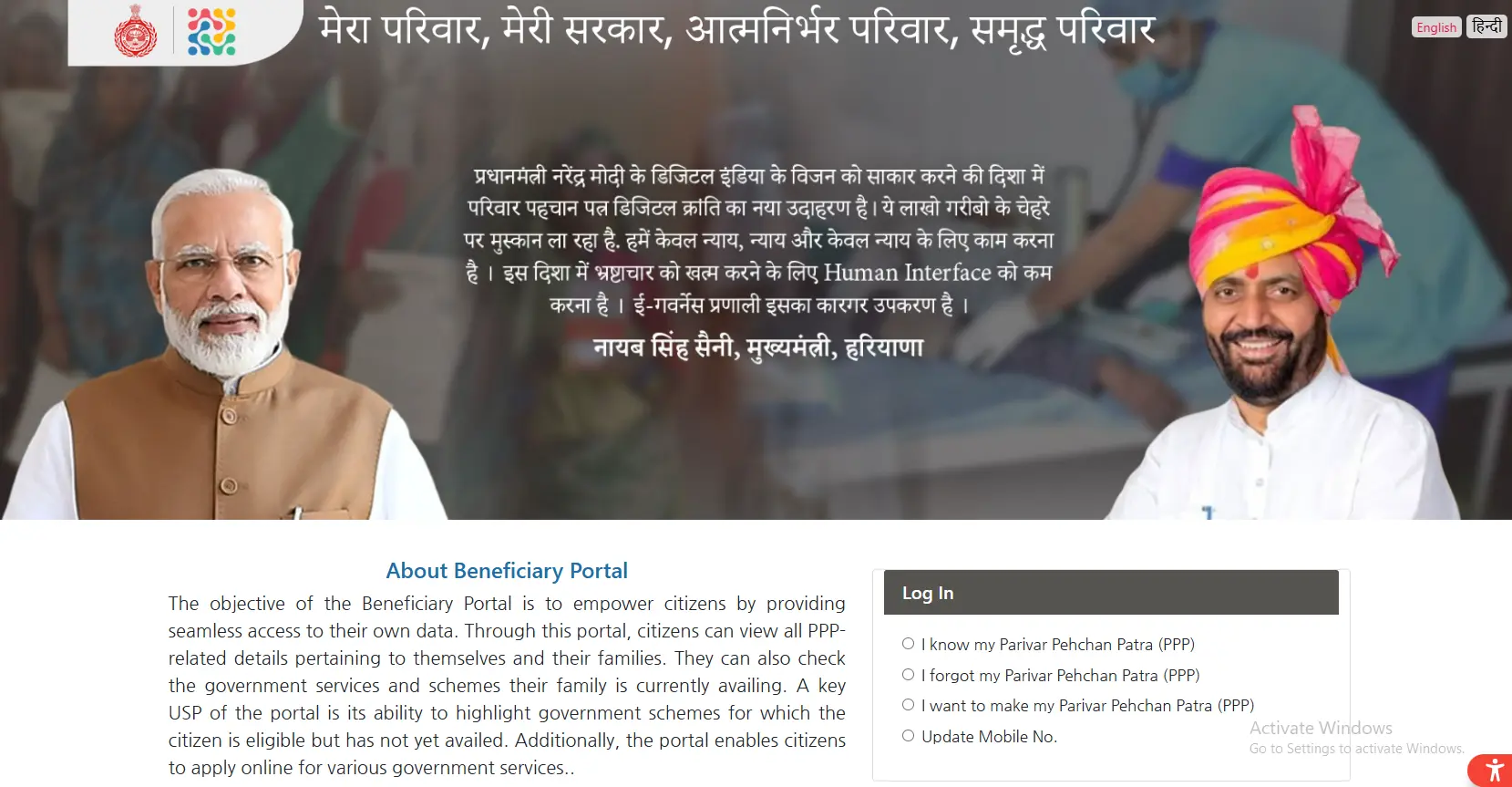
Choose Mobile Number
Choose the mobile number option instead of typing your Family ID.
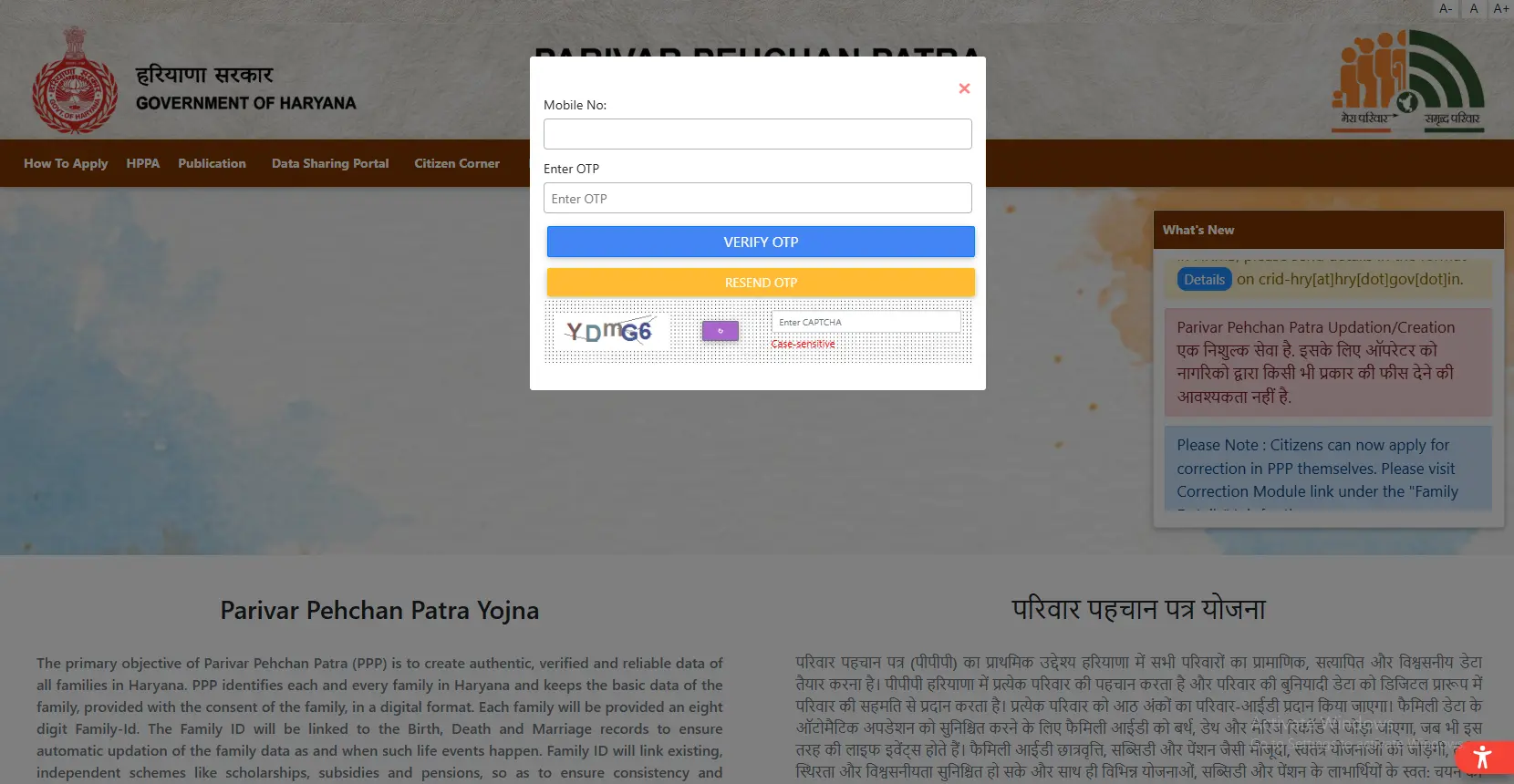
Enter Your Mobile Number
Enter your registered mobile number.
Enter the OTP
Enter the OTP sent to your phone.
View Your Status
View your current application status on the screen.
This method works well if you’ve forgotten your ID number or lost your application slip. A family ID search by mobile number takes less than two minutes.
Understanding Your Status Results
Once your family ID search by mobile number shows a result, you’ll see one of these:
- ✓Processing / Pending: Your application is still under review. This step includes document checks and PPP income verification, so it can take 10 to 30 days.
- ✓Approved: Your family ID is verified and ready. You can now move to the family ID download step and save your PDF copy.
- ✓Rejected: Something in your application needs fixing. Read the reason shown on the portal, correct it, and apply again.
What Happens During PPP Income Verification
Many families ask why their status takes time to change. In most cases, the delay happens because of the PPP income verification. The government checks your declared income against other records before approving your application.
During this check, officials look at:
- Your income proof documents
- Your occupation details
- Bank account information (if you added it)
- Any mismatch between your application and existing government records
If your income details don’t match properly, your status may stay pending longer than usual. You can speed this up by keeping your income proof clear and correct before you apply.
How to Complete a Family ID Income Check
A family ID income check helps you confirm that your income details are recorded correctly in your application. Follow these steps:
- Log in to the portal using your Family ID and OTP.
- Open the “Family Details” or “Income Details” section.
- Review the income figure and source shown against your name.
- If anything looks wrong, use the correction option to fix it.
- Submit the correction and wait for fresh verification.
Doing a family ID income check regularly helps you catch mistakes early, especially before you apply for pension or scholarship schemes that depend on your income record.
Family ID Download – What Comes Next
Once your status shows “Approved,” you’re ready for your family ID download. Here’s how:
- Log in to the Citizen Corner on the official portal.
- Click “Print Form” or “Download Family ID.”
- Save the PDF on your phone or computer.
- Print it on plain paper for office use.
Keep a digital copy safe in your email too, so your family ID download is always within reach when you need it.
Common Problems While Checking Status
- Application not found: Double-check your mobile number or Family ID for small typing mistakes. Even one wrong digit can cause this error.
- OTP not arriving: Make sure your phone has network coverage and your number is correctly linked with your family ID. Wait a few minutes and try again.
- Status stuck on “Pending” for too long: This usually happens because PPP income verification takes extra time in some cases. If it stays the same for more than 30 days, visit your nearest Saral Kendra.
Important Links
| Purpose | Link |
|---|---|
| Official Website | meraparivar.haryana.gov.in |
| Citizen Corner (for download) | ppp-office.haryana.gov.in |
Checking your application doesn’t need to be complicated. A simple family ID search by mobile number shows you exactly where your application stands. Keep an eye on the income verification stage, run an income check if something looks off, and complete your download as soon as your status turns green. The official Mera Parivar Meri Pehchan portal keeps this whole process free and simple for every Haryana family.
FAQ’s
In Short
Checking your application doesn’t need to be complicated. A simple family ID search by mobile number shows you exactly where your application stands. Keep an eye on the income verification stage, run an income check if something looks off, and complete your download as soon as your status turns green. The official Mera Parivar Meri Pehchan portal keeps this whole process free and simple for every Haryana family.